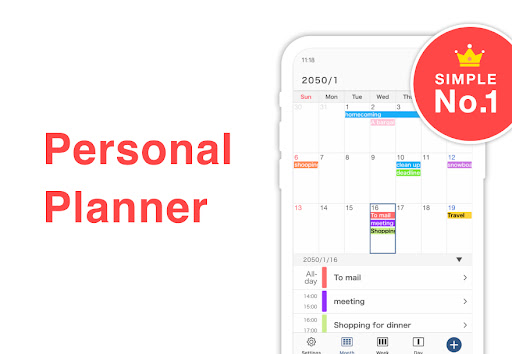
Keep your time management simple with Simple Calendar - an easy planner app that lets you organize your daily activities, appointments, important dates, and tasks all in one place. It's completely free, and you don't need to be an organizational expert to be able to use it. With just a few clicks, you'll be able to check your schedule or set reminders whenever and wherever you want.
Simple Calendar offers a variety of features that allow you to manage your time effectively and effortlessly. Here are some of the key functions of the app:
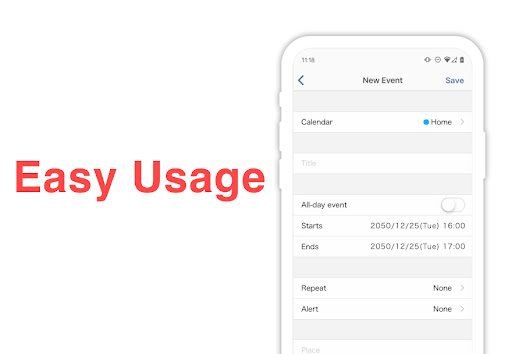
- Daily Planner: Simply tap on the app to open your daily planner and schedule an event or task for any day. You can also set reminders and keep notes to avoid missing anything important.
- Color-Coded Timetable: Simple Calendar can accurately organize all your activities in a color-coded timetable, which helps you easily understand when to work, study, spend time with your loved ones, or play sports.
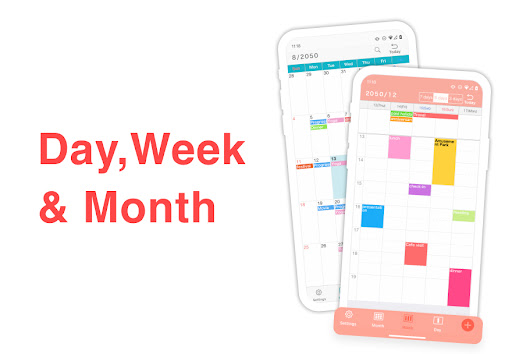
- Various Display Modes: You can choose various display modes according to your preferences, such as a day planner to see only what's on the agenda today or a weekly calendar to get prepared for the week ahead.
- Shared Calendar: Simple Calendar can be shared with anyone, allowing you to sync tasks with colleagues, teammates, or family members. Create a shareable calendar with your loved ones and plan dinners or workouts together.
- Customization: You can adjust the font size, choose from 20 different theme colors, set a passcode lock for privacy protection, delete ads, and link Simple Calendar with other time management apps for maximum flexibility.
Q: Can I use Simple Calendar without a Google Calendar account?
A: Yes, you can use the app with or without a Google Calendar account. You can also sync it with Outlook, iCloud, Exchange, Office365, and Facebook, so you can keep your schedule updated across different platforms.
Q: Is Simple Calendar available on both iOS and Android?
A: Yes, Simple Calendar is available on both iOS and Android. You can download it from the App Store or Google Play Store, depending on your device.
Q: Is there a charge for using Simple Calendar?
A: No, Simple Calendar is completely free to use. However, you can choose to make an in-app purchase to delete ads if you prefer.
Simple Calendar is an excellent app that can help you stay organized without feeling overwhelmed. It offers a user-friendly interface, with intuitive functions that are easy to understand. With features like the shared calendar, customization options, and various display modes, Simple Calendar is ideal for anyone who is looking for a flexible and reliable planner app. Whether you need to organize your work schedule, appointments, or to-dos, Simple Calendar can help you do it all. Give it a try and see for yourself how it can help you plan your day effectively and efficiently.